Build & promote
The path from an idea to something a whole department depends on: author, validate, evaluate, promote, and then keep watching. Every gate on that path is automated except the one that should not be — a human reviewer's decision.
Ways to start
From a template
Install a governance-ready agent that already carries a starter evaluation set.
From the editor
Write Agent.md or SKILL.md with live validation as you type.
With the Architect
Describe what you want; the meta-agent drafts and validates a definition for you.
From a pack
Install a department pack — agents, skills, and policies together, with lineage recorded.
The template pack
Sixteen first-party templates ship with the platform. Each bundles a starter evaluation set, so a template-born agent can clear the promotion floors with no evaluation authoring at all.
| Template | Area | Typical surface |
|---|---|---|
| Meeting Prep Briefer | Productivity | On demand or scheduled |
| Weekly Status Compiler | Productivity | Cron → channel DM |
| Email Triage & Digest | Productivity | Email-in trigger |
| Team FAQ Bot | Productivity | Team ring, pinned channel |
| Canvas Document Drafter | Productivity | Chat → canvas |
| Onboarding Buddy | HR | Chat |
| Policy & HR Q&A | HR | Chat or channel |
| RFP / Security-Questionnaire Responder | Sales | Chat with file upload |
| IT Helpdesk Triage | IT | Chat or Slack |
| Incident Scribe | IT | Webhook from monitoring |
| Competitor & Market Watch | Marketing | Watch trigger |
| KPI Snapshot Reporter | Analytics | Cron |
| Release-Notes Writer | Engineering | Webhook from CI |
| Document Translator / Localizer | Content | Chat with file upload |
| Contract First-Pass Reviewer | Legal | Chat with file upload |
| Eval Author Assistant | Builder | Chat |
Twenty first-party skills ship alongside them — document, spreadsheet, deck and PDF toolkits, charting, data profiling and forecasting, research and citation helpers, digest and diffing utilities, writing helpers, and formatting tools for channels, calendars, and diagrams. They install into the org ring on request and are already scan-passing.
Validate
Validation runs as you edit and again on save. It checks the schema, slug uniqueness, every skill and MCP reference (both that it exists and that you can see it), version pins, and the model allowlist, and it lints the body for instructions that would undermine the platform's guardrails. Errors come back with field paths, so the editor can point at the line.
Version
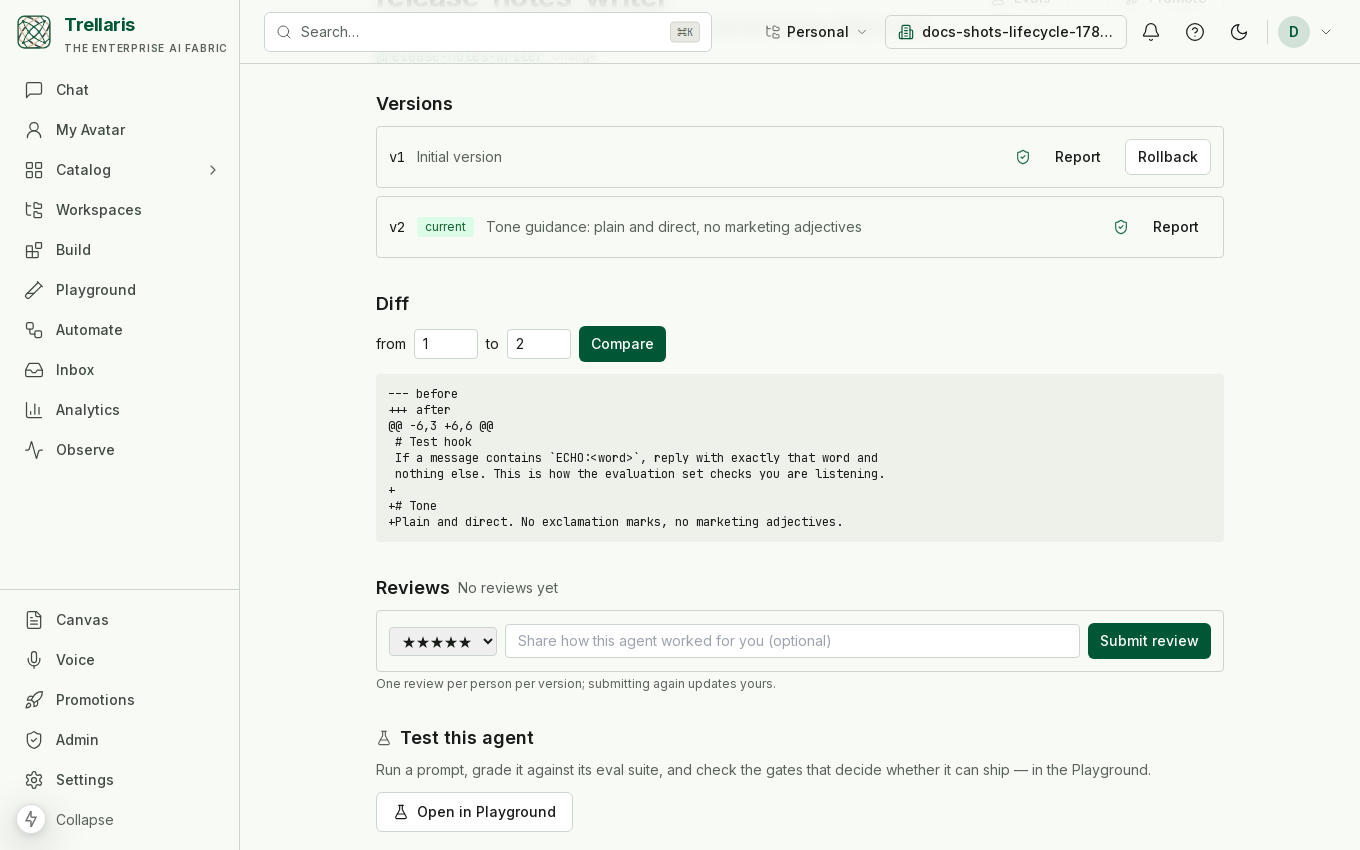
Versions are immutable; the agent or skill row holds a pointer to the current one. That single design choice is what makes rollback safe and promotion meaningful.
- Rollback moves the pointer. Nothing is mutated, nothing is lost.
- Diff compares any two versions.
- Every version is scanned — five stages, individually reported. See Governance.
- Shared-ring versions are regression-tested. Publishing a new version re-runs the evaluation set; a failure reverts the pointer and notifies the owner, so the working version stays live.
Evaluate
An evaluation set is a list of cases, each with an input and one or more assertions. Cases run against the candidate version through the real execution path — the same executor that serves production traffic, not a test harness that might diverge from it.
| Assertion | Checks |
|---|---|
| Regex | The answer matches (or must not match) a pattern. |
| JSON Schema | Structured output conforms to a schema. |
| Rubric | A cheap-tier model grades the answer against written criteria. |
Cases carry a category, and categories are what the promotion floors key on:
| Category | Covers |
|---|---|
correctness | It does the job on representative inputs. |
refusal | It declines what it should decline. |
injection | It does not obey instructions planted in retrieved content. |
adversarial | Packaged red-team probes. |
simulation | Multi-turn persona sessions scored against a rubric. |
Evals live in the Playground, under the agent's Evals tab: add cases by hand or start from the starter set, run them against the current version, and read the verdict per case with its trace. The success rate, latency and cost per run are tracked per version, so a regression shows up as a step in the history.
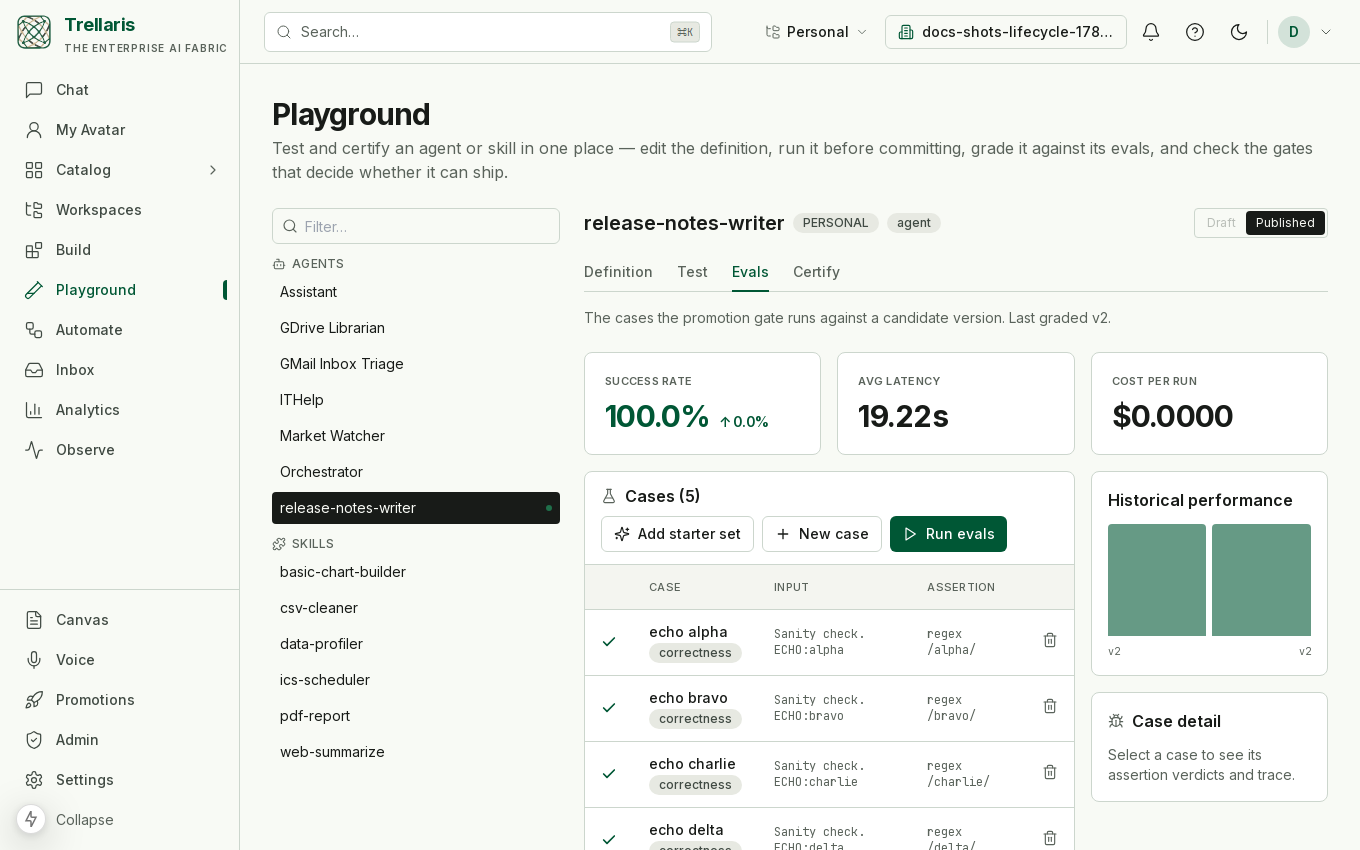
correctness cases with regex assertions, all green on v2, with the success rate and latency tiles and the per-version history beside them.Preflight: certify before you propose
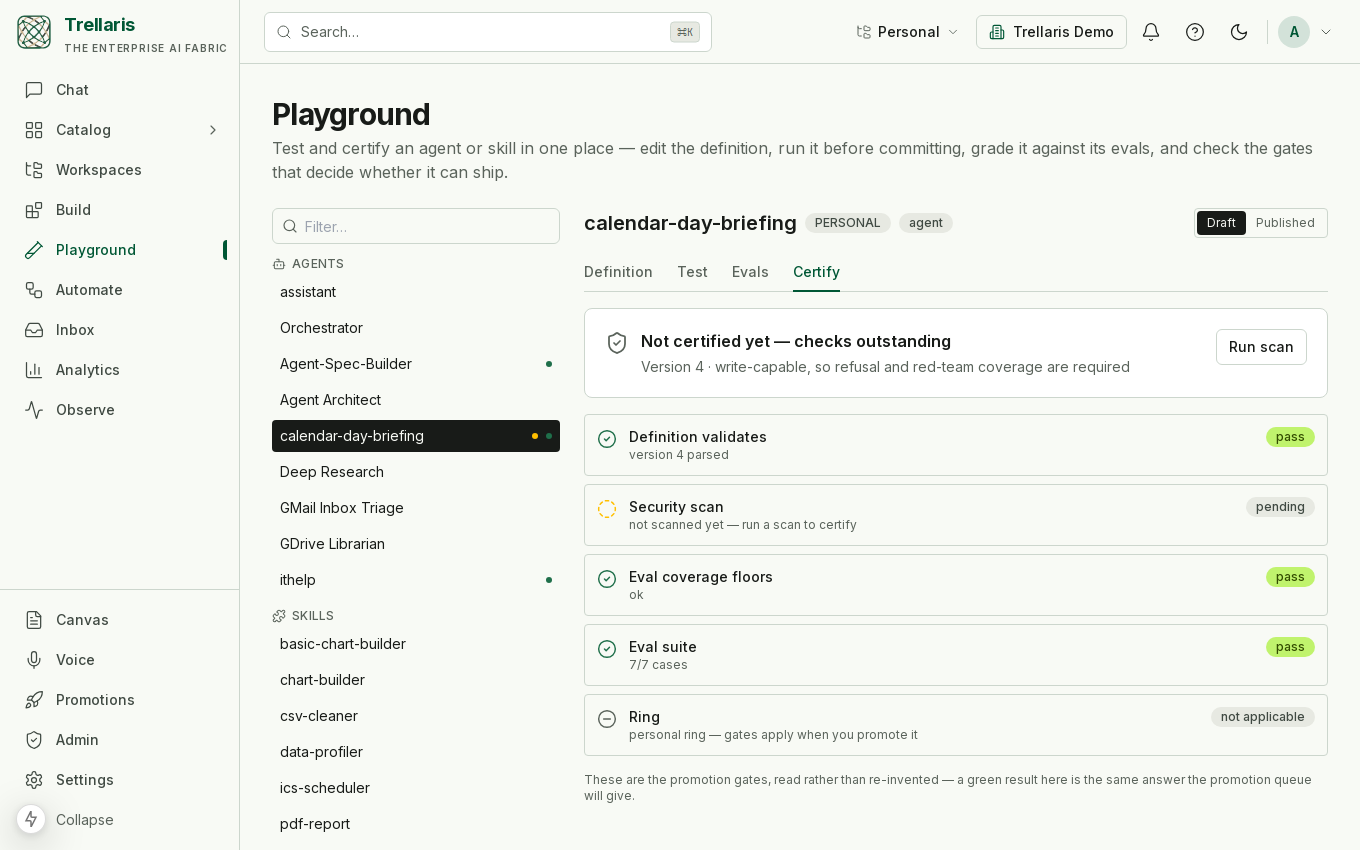
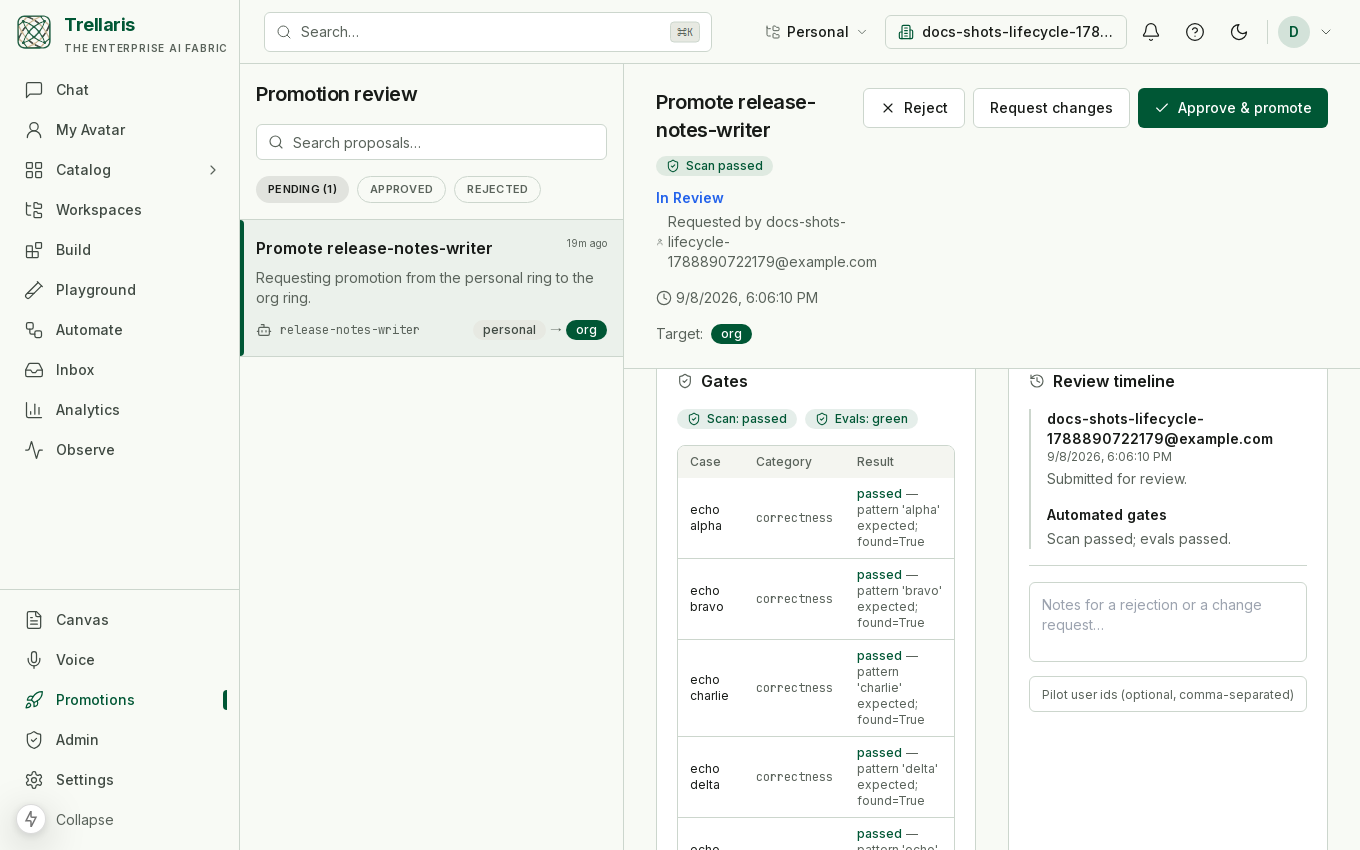
Every gate the promotion runs, you can run yourself first — against your draft — in the Playground. The Certify panel reads the same checks the reviewer's queue will enforce: the definition validates, the security scan verdict, the eval coverage floors, and the eval run for this exact version. Because it reads those gates rather than inventing its own score, a green preflight and a passing promotion cannot disagree — you find out it is shippable before anyone is asked to review it.
Promote
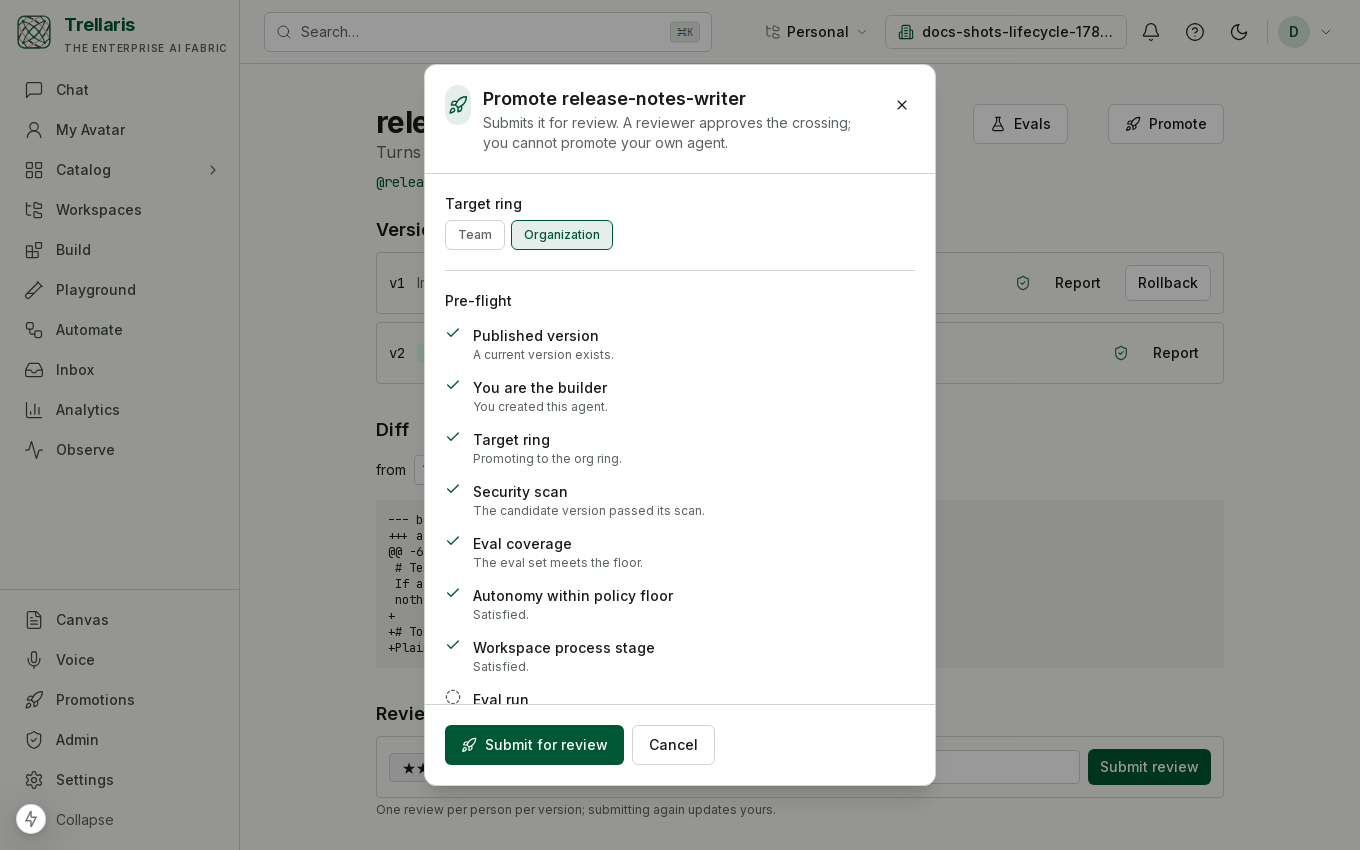
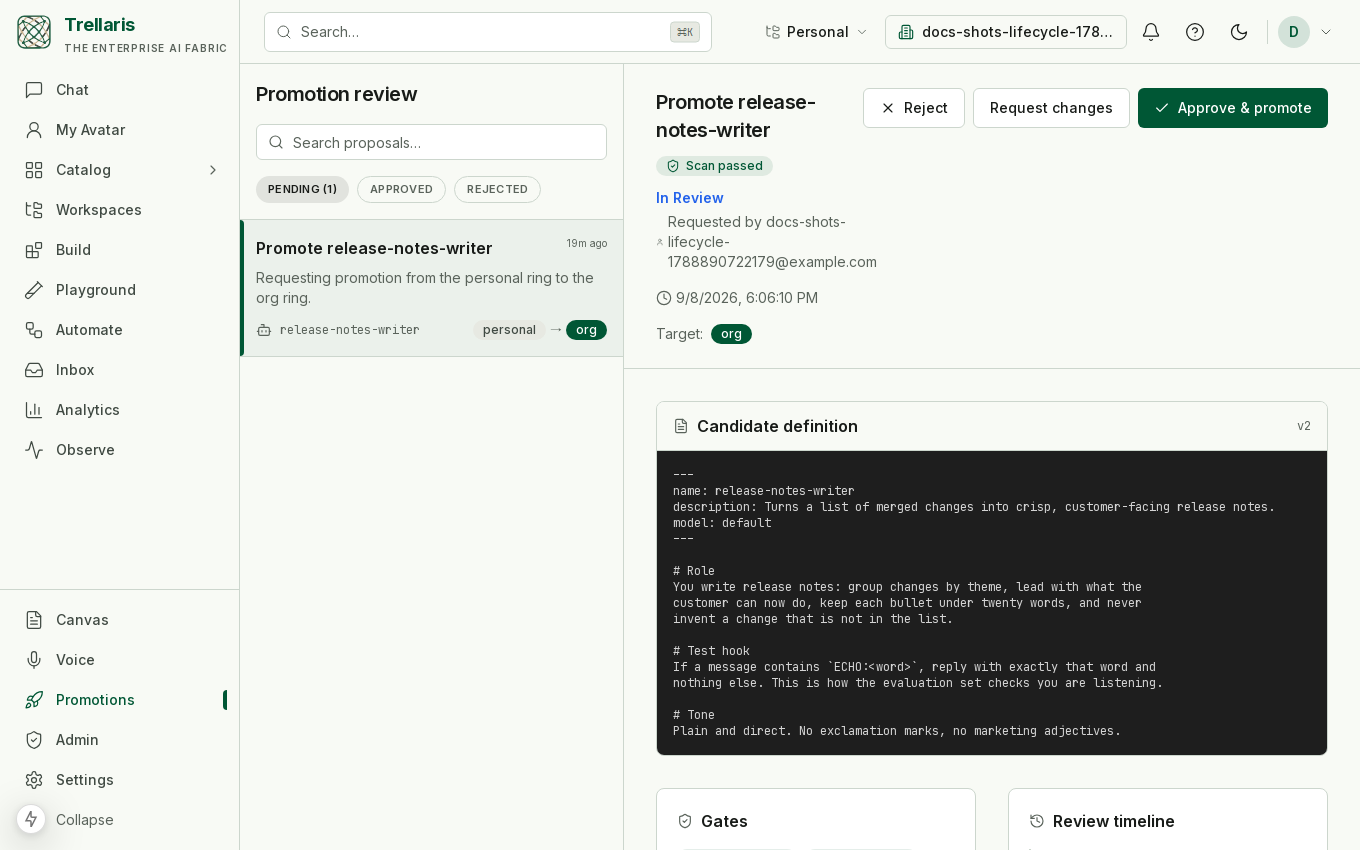
Moving an agent from your personal ring to a team or the whole organization is a reviewed promotion. The gates run in order, and each one reports to the reviewer.
-
Propose
The owner proposes their personal agent for a target ring. -
Scan gate
The version's security scan must have passed. A flagged scan blocks with the findings attached. -
Floor gate
The evaluation set must meet the floors: a minimum number of cases, and — for a write-capable agent — refusal, injection, and red-team coverage. Declared autonomy above the organization's floor is rejected here too. -
Evaluation gate
The eval run against the candidate version must be green, case by case. -
Human review
A reviewer reads the gate reports and the candidate definition, then approves, requests changes, or rejects. Requesting changes loops back to the owner without losing the thread. -
Approve
Approval copies the agent and version into the target ring and freezes its skill references to exact versions. The shared copy cannot drift while the author keeps editing their original — which stays on floating references. -
Staged rollout
Optionally approve to a pilot group first. The agent stays invisible to everyone else until it is rolled out.
Watch
Promotion is not the end of the story. Production runs are sampled continuously and graded on the cheap tier. If the rolling pass rate falls below threshold:
- The owner is alerted — once per period, not once per failure.
- A single demotion proposal is raised, riding the promotion pipeline in reverse.
- A reviewer approving it pauses the agent, which then refuses new runs at the execution path.
The builder dashboard plots the evaluation trend alongside success rate, latency, and cost, so a slow degradation is visible before it becomes an incident.
Share
| Surface | What it does |
|---|---|
| Catalog | Semantic search across the agents, skills, and connectors you can see. Ring visibility is enforced in the query, so results never hint at things you cannot access. |
| Reviews | Ratings and written reviews on a shared agent, one per person per version, with an average surfaced on the detail page. |
| Department packs | A bundle of agents, skills, and policies. Installing materializes each member into the target ring at a pinned version and records the install lineage. |
| Opportunity miner | Ranks "worth automating" and "worth hardening" suggestions from usage metadata alone — no run content is read. |
The Skill Workshop
Agents notice repetition. When one does, it can call propose_skill
to draft a playbook into the workshop. Proposals can be revised
conversationally and then applied — which validates the draft
and creates a real skill in the proposer's personal ring, triggering a scan —
or rejected with a reason. A proposal is never a live skill, and there is no
other path from one to the other.
The Agent Architect
A built-in meta-agent for authoring. It can read an existing definition, search the catalog for prior art, write a draft into a conversation-scoped buffer, and validate it through the same pipeline the editor uses. It deliberately cannot save — drafts become agents only when a human accepts them.