The Agent Designer
The Agent Designer is the visual way to author an agent. It reads and
writes the same Agent.md the rest of the platform uses — the
file stays the source of truth — so anything you compose here is a plain,
versioned definition, never a hidden format.
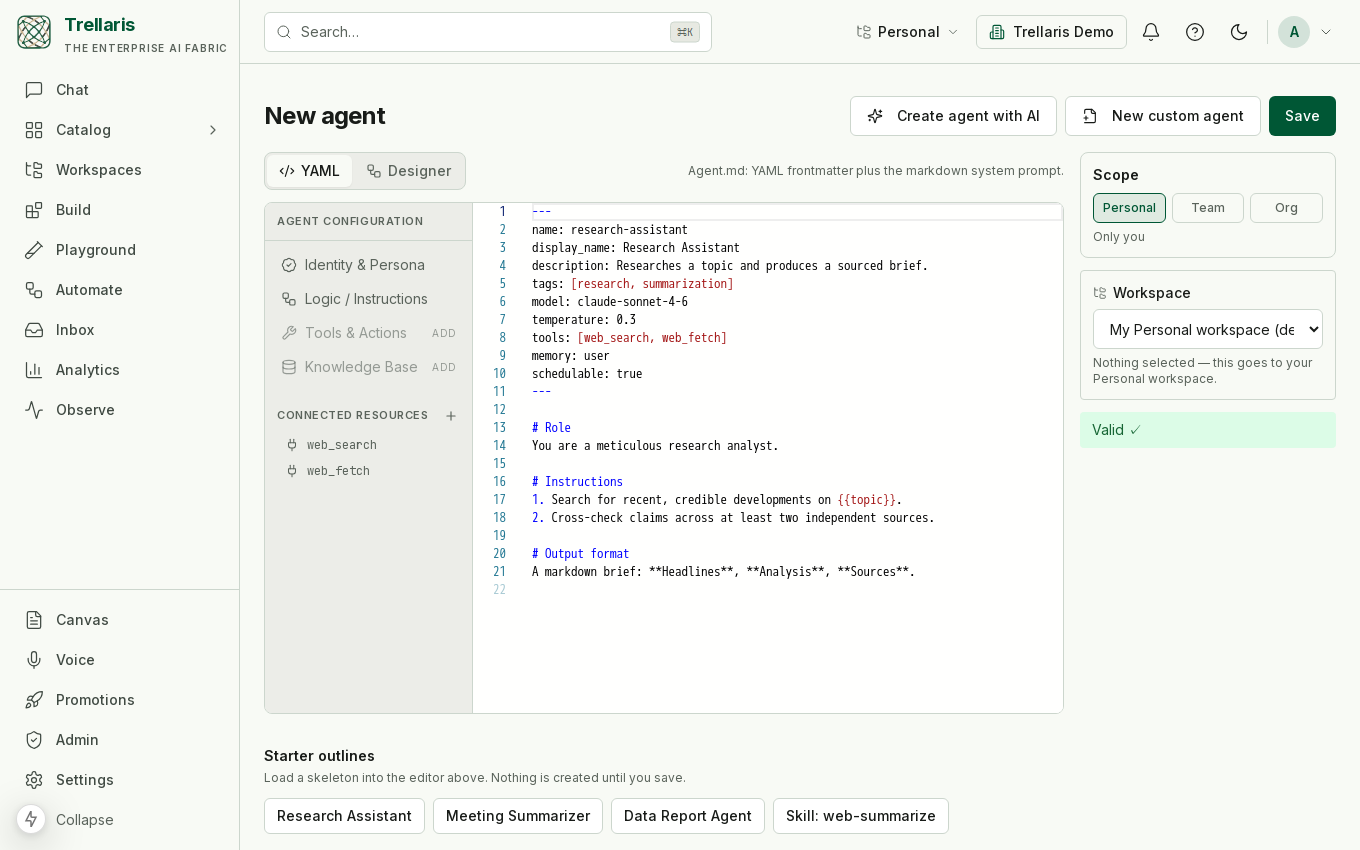
Three ways to author, one artifact
- The editor — write
Agent.mddirectly, with live validation surfacing schema, reference and policy errors as you type. - The designer — compose the same definition on a
canvas: pick the model and memory, set autonomy and the turn cap, add
tools, skills, knowledge and MCP servers as nodes, and see what may
invoke the agent. Every change is written back to
Agent.md, and the editor and the canvas can be used in turn on the same draft. - The Architect — a built-in meta-agent that interviews you, drafts a valid definition, and suggests reusing an existing agent over building a near-duplicate. It writes to a draft buffer and cannot save on its own: a draft becomes an agent only when you accept it.
What the designer shows
The canvas makes the parts of an agent legible at a glance: the model and autonomy level, the tools it declares, the skills it composes, the knowledge it can read, and any MCP servers it reaches. Each is validated — a skill reference that is not visible to you, a tool that is not allowed by policy, or a model outside the allowlist is flagged before you ever save.
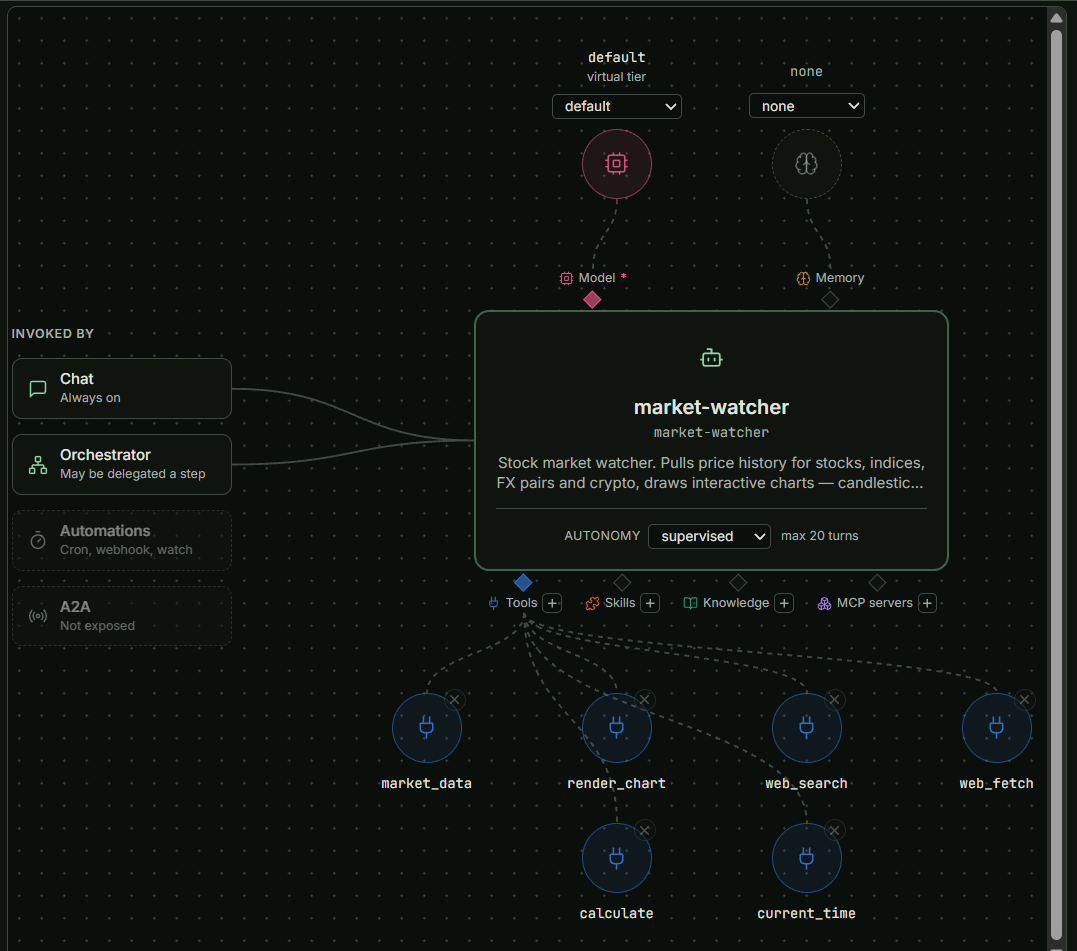
default tier) and memory (none) above the card, autonomy supervised with a 20-turn cap, the six tools it declares — market_data, render_chart, web_search, web_fetch, calculate, current_time — and, on the left, what may invoke it (chat, the orchestrator; automations and A2A are off).From draft to running
Saving creates the agent in your personal workspace at version 1, where a security scan runs automatically. From there you test and certify it in the Playground, and promote it up through team and org rings when it is ready — see Build & promote.